
CRM data enrichment should give teams the right context to engage prospects and customers effectively. Yet, sometimes populating this information creates more work than it removes, due to manual imports and clunky integrations.
Instead of navigating a central source of truth, teams end up switching between tools just to find basic contact and company details. Effective enrichment requires a system that auto-enhances your records without increasing workload or overhead.
You can curate this system using either a CRM with built-in enrichment or a dedicated platform that integrates seamlessly with your existing tech stack. Here, we’ll explain how CRM data enrichment works and explain how to streamline the process with the right tools.
What is CRM data enrichment?
CRM data enrichment involves improving customer profiles by adding missing details and updating existing records. While the process can be done manually, teams save time with tools like Clarify that scrape external (e.g., LinkedIn and Google) and internal sources for additional information.
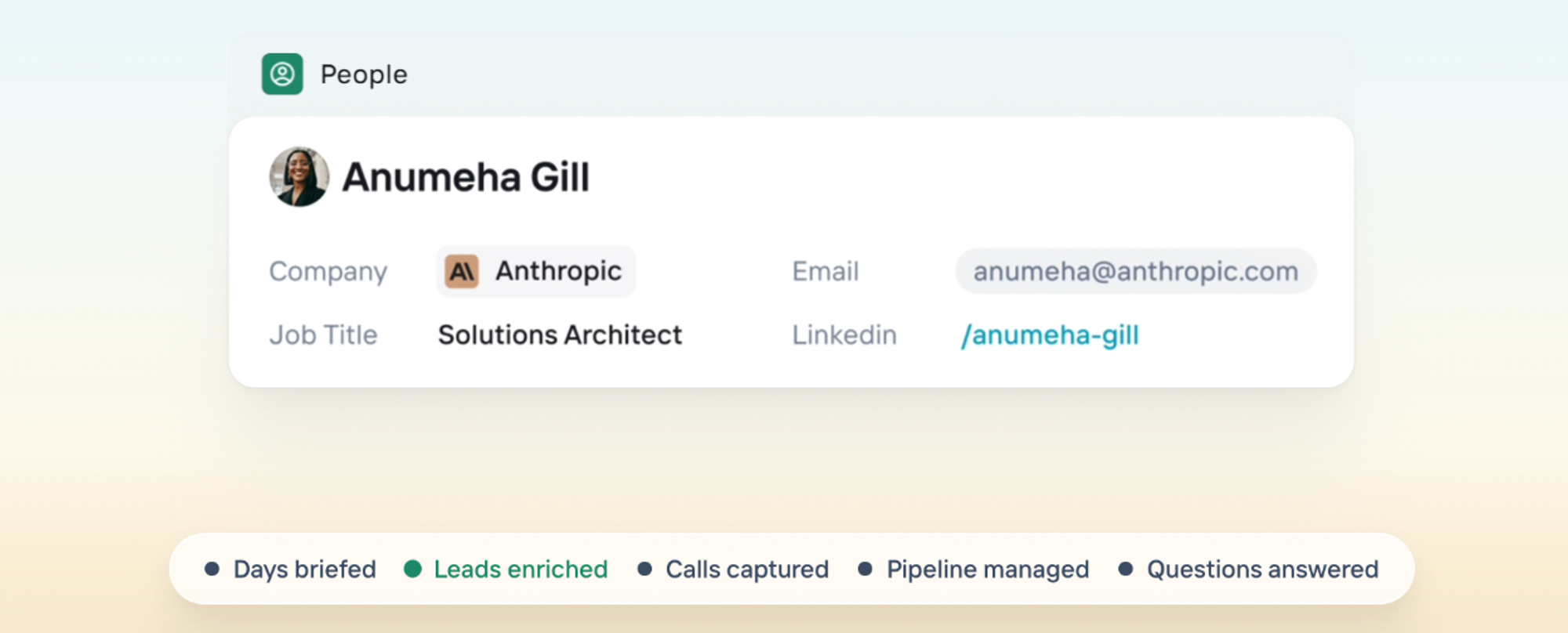
The goal is to make lead profiles more complete. For example, if you only have sparse records like prospect names and companies, enrichment can add email addresses and LinkedIn profiles, providing 360-degree views early in the customer journey.
CRM enrichment vs. data hygiene
CRM enrichment is different from broad data hygiene because the former adds new information to an existing record, while the latter implies clean-up and standardization. However, some software vendors group both features.
First-party vs. third-party inputs
In enrichment, first-party inputs are internal data like website activity, form fills, product usage, and purchase history. Meanwhile, third-party inputs include externally sourced information, such as verified contact data and company attributes.
Suppose a potential buyer downloads a pricing guide from your site. Enrichment adds job title and company size based on the lead generation form the prospect filled out, and this counts as a first-party input.
But if you capture the same lead’s LinkedIn profile using a Google Chrome browser extension, that’s a third-party enrichment input. Both of these sources contribute to a well-rounded lead profile.
When enrichment becomes critical
If sales teams lack deduped, up-to-date records, productivity stalls. Enrichment fixes this dilemma by introducing accurate and in-depth prospect insights, turning basic contact databases into actionable relationship intelligence.
5 benefits of enrichment
- Enrichment makes it easy to score and prioritize leads by providing up-to-date context for you to determine ICP-match.
- Adequate prospect and company information helps you launch personalized outreach campaigns that address exact pain points and convert better.
- Better customer data quality prevents sunk costs and wasted time.
- Knowing your leads well enough improves qualification outcomes and conversion rates.
- Across the customer lifecycle, enriched data lets you deliver better outreach experiences, nurturing brand loyalists and advocates.
5 negative impacts of poor enrichment
- Poor enrichment means reps waste time researching and validating records before getting to actual customer engagement.
- Incomplete prospect context leads to disorganized decision-making, e.g., chasing low-likelihood deals because you didn’t have enough information for proper qualification.
- Without solid customer intel, you risk sounding uninformed, causing relationship and reputation damage.
- If you don’t invest in automated data enrichment, your team will lose time to creating and updating manual, error-prone records. And this dilemma can lead to an even bigger problem: low CRM adoption due to the setup and maintenance effort required.
- Inadequate enrichment (due to manual errors or data decay) makes CRM records messier and less reliable over time.
How enrichment works
The best CRMs usually already have broad databases of enriched contacts or integrate with platforms that do. So once a new or updated lead enters the pipeline with minimal fields (e.g., name and email), built-in or integrated enrichment systems scan matching records and populate the appropriate CRM fields.
Depending on your tool and preference, you can either run record creation and updates as you go or on a scheduled, batched cadence. For example, Clarify finds and enhances lead profiles in real time using its database of over 100 million enriched prospects and by syncing with users’ emails and calendars. Teams can also add a separate CRM data enrichment tool for broader coverage.
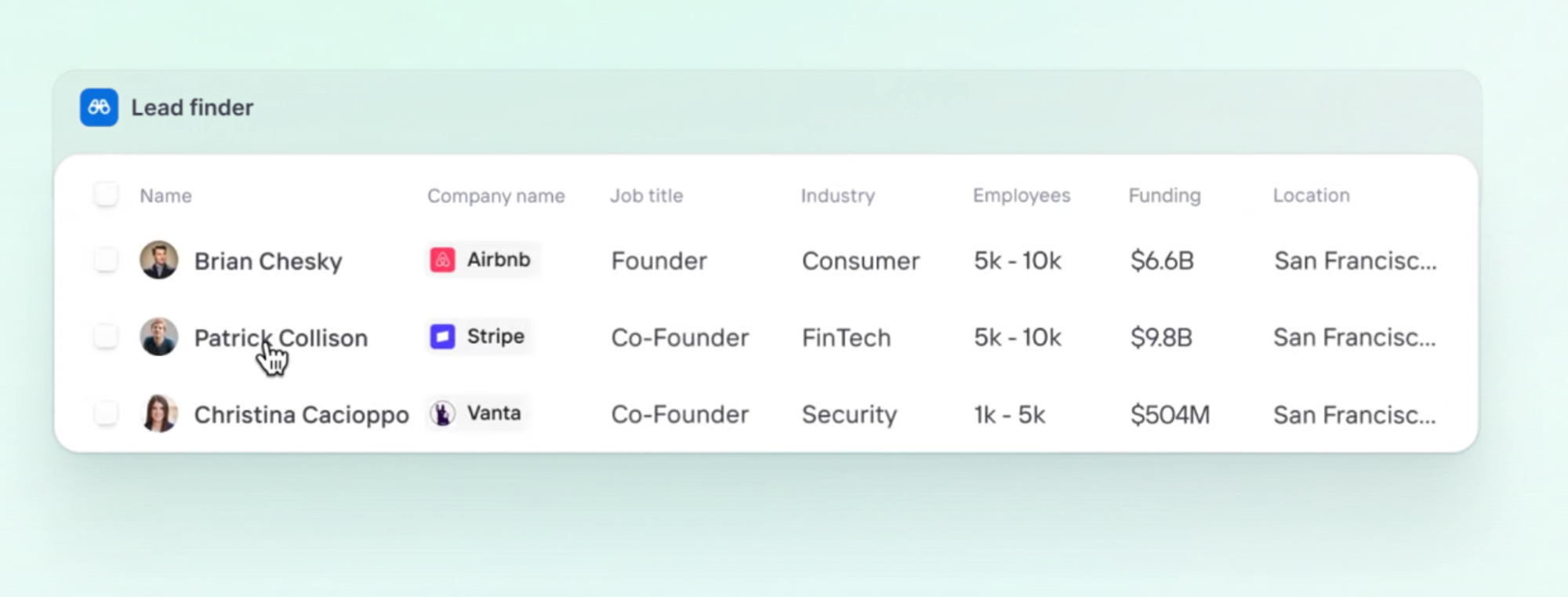
CRM enrichment works as an automated workflow that involves:
- Data ingestion and empty field identification, where you add or attract a new lead with whatever info you have on them, while unknown details remain blank.
- Data matching and lookups against your enrichment database using identifiers like email domains and LinkedIn URLs.
- Data validation through source and freshness checks to ensure accuracy and recency.
- Field population and CRM integration based on pre-defined mapping rules.
- Continuous monitoring and refreshes, as well as preset alerts for when key changes occur. E.g., job moves that can trigger new outreach opportunities.
Unlike manual imports, automated CRM enrichment is quick, more accurate, and easy to scale. This approach is also cost and time-efficient, serving as an always-on system as opposed to time-to-time list cleaning.
| Manual enrichment | Automated enrichment | |
|---|---|---|
| Speed | Takes minutes | Takes seconds |
| Accuracy | Prone to human error | Validation rules ensure accurate data |
| Scalability | Easily breaks at 20 to 50 sellers/reps | Scales with team growth |
| Cadence | Periodic | Real time |
Manual vs. automated vs. AI-powered enrichment
Manual enrichment involves record-by-record research and updates, focusing on sources like LinkedIn, company websites, and lead databases. Manual imports are low-cost, and they give you full control over the enrichment process, so you can customize it however you like. The downside of this method, though, is that it’s impossible to scale.
Automated enrichment (also known as API-based or integration-based enrichment) means auto-filling record fields using minimal identifiers, e.g., an email address. Teams enable automatic lead enhancement by integrating with relevant third-party sales intelligence databases like Apollo. Typical automated enrichment outputs include job titles, company names, LinkedIn profiles, and phone numbers.
AI-powered CRM enrichment goes a step beyond automation by leveraging large language inference and continuous learning. This approach predicts patterns and enriches data by extracting relevant information from unstructured text, such as email signatures and calendar records. It also suggests duplicate data merges and makes real-time pipeline updates based on intent signals like email replies and meeting bookings.
Choosing an enrichment approach
The right solution depends on your current CRM system and go-to-market motion (whether inbound or outbound). Sales volume and the level of workflow automation you want, beyond data, are also factors worth thinking about.
Decide on the best enrichment approach by considering:
- CRM integrations: CRMs with built-in enrichment, like Clarify, support bidirectional integrations with data enrichment tools like Apollo, ensuring real-time data flow and widening your prospect pool.
But if you’re already heavily reliant on apps like Salesforce without native enrichment, you’ll need extra tooling and integrations. Whichever solutions you choose, avoid integrations that rely on CSV uploads or one-way syncs.
- Data availability: Map the sources your best leads come from (e.g., outbound lists and inbound forms), and note how much contact and company-level data each provides.
If you’re relying on a single source with low coverage, like events, or constantly finding enriched records that still lack key fields, it’s time to switch to AI-powered enrichment.
- Automation features: If real-time triggers for workflows like contact routing and meeting scheduling are a non-negotiable for you, lean into automated or AI-driven enrichment. Manual imports will only stall productivity and leave room for errors.
For example, batch-only enrichment provides data that gets stale quickly, but it works well enough for immediate outbound outreach. With inbound leads, though, this approach can lead to insufficient context and missed opportunities.
- Cost and value: Select an enrichment system with clear ROI and a pricing model (credit or user-based) that works for you. Also, avoid paying for overlapping tools just to fill data gaps, and beware of vendors promising marginal data improvements without direct pipeline impact.
Enrichment setups also vary based on your goals.
- For inbound teams where speed to lead is critical, the objective is to enrich forms in real-time, for instant lead qualification and routing. This approach prevents leads from going cold and improves conversion rates.
- For outbound and ABM teams that prioritize data depth and scalability, multi-source data and batch enrichment matter more. The goal here is to pull leads from several high-coverage sources and enrich specific lead lists as needed.
Clarify enables sales teams to define lead scoring and routing logic, with minimal engineering resources. The app’s database of over 100 million enriched prospects also enables both real-time and batched enrichment. Try Clarify for free to see for yourself.
CRM-native enrichment vs. standalone tools
Manual CRM updates take significant time and effort. And while standalone enrichment tools can be a good workaround, CRM-native enrichment works best as it offers always-on data capture and advanced AI inference.
Say you invest in a dedicated enrichment tool to augment a CRM that doesn’t log activity data well. This fix may work for a while, but the root problem is still the CRM. And if reps are manually documenting emails and calls, no amount of third-party customer data points will significantly improve their productivity. However, an AI-native CRM, like Clarify, features autonomous email and meeting data capture, as well as auto-generated meeting summaries and next steps.
The 7 best CRM data enrichment tools
We’ve analyzed seven top CRM enrichment tools to help you land on the best fit for your team.
1. Clarify: Best for fixing low CRM adoption and reps not logging activity
Clarify is an autonomous CRM that enriches fields and manages the pipeline for founder-led startups. Its AI rep handles enrichment, so teams can focus on closing. This model effectively prevents adoption gaps caused by manual workflows.
Key features
- Automatic email and meeting activity capture, accurately matched to contacts and deals.
- AI-powered meeting summaries with documented next steps.
- Relationship intelligence reflecting interaction history and patterns.
2. Breeze Intelligence
Clearbit was a leading B2B data intelligence provider until HubSpot acquired it in late 2023 and rebranded it as Breeze Intelligence. The standalone product has since been fully discontinued, and the API is no longer available to new customers. Accessing Clearbit's enrichment capabilities now requires a paid HubSpot subscription, making it a non-option for teams outside the HubSpot ecosystem.
Key features
- Data enrichment for 200M+ company and buyer profiles, integrated directly into HubSpot CRM
- Buyer intent tracking to identify high-fit accounts visiting your website
- Lead scoring and routing within the HubSpot ecosystem
3. ZoomInfo
ZoomInfo is a lead generation platform for enterprise sales and GTM teams. The app gives large B2B companies access to business contact data and surfaces real-time buying signals like hiring trends and research activity. ZoomInfo syncs with CRM tools to enhance data quality and accuracy.
Key features
- Organizational charts to view and strategically engage decision-makers.
- Intent data that indicates active buyers to connect with.
- Extensive lead information, like verified emails and direct dials.
4. Clay: Best for go-to-market teams
Clay is an all-in-one prospecting tool for go-to-market operations. The app aids waterfall enrichment across multiple first and third-party data providers. Clay also works alongside CRMs, serving as an automation layer for lead sourcing and enrichment.
Key features
- Over 150 data sources and AI research agents that augment incomplete prospect information with more comprehensive data points.
- Intent signals, like job promotions and website visits, which inform outreach or follow-up activities.
- GTM idea generation and table building for effective lead engagement.
5. Apollo: Best for AI-powered sales
Apollo is an AI sales platform that drives revenue by providing fresh contact and company data for better targeting and personalization. While Apollo can function as a CRM, it also offers an enrichment tool that adds or enhances lead data for others.
Key features
- Large database of detailed demographic and firmographic data for confident lead engagement.
- Real-time intent signals that enable accurate lead scoring and prioritization.
- On-demand, scheduled, or real-time CRM updates
Check out our Apollo vs. Clarify comparison to see how they stack up.
6. Kaspr: Best for LinkedIn-first, EU-focused enrichment
Kaspr is a LinkedIn Chrome extension and web app for finding B2B contacts that are based in Europe. The app reduces prospecting time and helps reps hit quotas faster. Kaspr also integrates with various GTM and CRM platforms for extended functionality.
Key features
- Over 500 million verified email addresses and phone numbers to start prospecting from.
- Supports both sales and recruitment motions, so teams don’t necessarily need separate tools for them.
- Bulk enrichment either directly from LinkedIn or based on existing data (like lead lists) uploaded to the platform.
7. Default: Best for real-time form enrichment
Default is an enrichment software that enables instant lead routing and scheduling for revenue and sales teams. The app tracks website activities and reveals anonymous accounts before they ever enter the pipeline. And while Default works okay, its total cost of acquisition adds up quickly as teams add more users.
Key features
- AI agents for automated account research across websites.
- Scheduled bulk enrichments to remove stale CRM records.
- RevOps workflows for cleaning CRM data and improving lead routing.
Launch or upgrade your CRM data enrichment process
CRM data enrichment can be manual and painstaking or automatic and stress-free. CRM-native, AI-powered enrichment is the best way to save time and effort, while increasing the quality and accuracy of your sales records.
Try Clarify to see how CRM-native data enrichment frees up your team to focus on closing and scaling.
Keep Reading
Sales tools for small businesses: choosing a tool that helps you scale
CRM setup for founders: A step-by-step guide
How to use AI in sales: A complete guide with real-world use cases
Clarify vs Folk: CRM comparison for 2026
When you need a data enrichment tool (and when you need a better CRM)
Lead Finder: Prospect with a prompt