
You're in the trenches doing founder-led sales. Between product development, investor updates, and actually building the thing people will pay for, you're somehow supposed to be your company's best salesperson too.
Here's what usually happens: You start with spreadsheets. Gmail becomes your CRM. Calendar invites pile up without context. And somewhere in this chaos, a warm lead goes cold because you forgot to follow up.
You don't need a sprawling enterprise tech stack. You need exactly six categories of tools that work together to eliminate busywork and surface insights that actually matter.
This isn't about having the most tools. It's about having the right ones.
Quick summary: The founder-led sales tech stack
| Tool | Purpose | Priority | What to look for |
|---|---|---|---|
| CRM | Capturing leads, organizing your deals pipeline | High | Quick setup, native integrations, pricing model built to scale |
| Data enrichment | Automatically populating contacts with essential information, turning your CRM into a robust database | High | Relationship intelligence, |
| Scheduling tool | Allowing contacts and prospects to book you without long email chains, Preventing scheduling conflicts | Medium | Real-time calendar availability, Customizable meeting types, Automated reminders |
| Meeting intelligence | Recording and processing calls, Turning calls into insights | Medium | Automatic call recording, AI-generated summaries, Action item extraction |
| Email sequencing | Automating email campaigns, Filtering prospects according to your sales process | Low | Email templates, Multi-step campaigns, A/B testing |
| Analytics and reporting | Turn individual activities into trends, Surface patterns for improving your sales process | Low | Pipeline velocity measuring, Win/loss patterns, Activity metrics |
The 6 tools your founder-led sales process needs
Your CRM (the foundation for everything else)
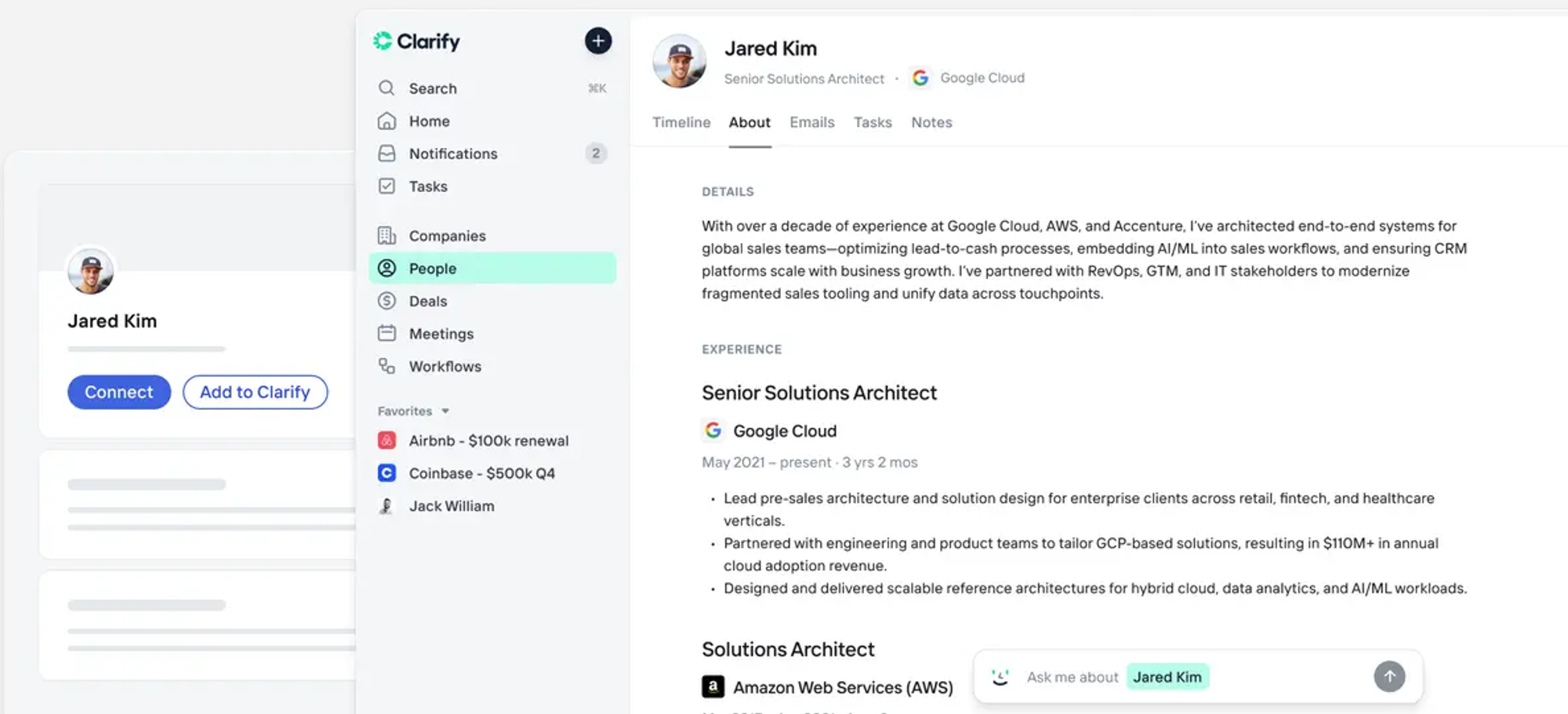
A CRM (customer relationship management) platform is the connective tissue for your sales team. It’s more than just a contact database. It’s the foundation for everything your sellers do. Because it’s such an important tool, it needs to be simple enough for your founder to use but powerful enough to scale with you as you start generating revenue.
Here’s what you should look for in your CRM:
- Quick setup.
- Flexible data model.
- Native integrations with email and calendar tools.
- Transparent pricing so you always know what you’re paying.
Popular options for CRMs include:
- Salesforce, which offers power but is expensive to deploy and maintain.
- Pipedrive, which provides a visual, intuitive pipeline.
- HubSpot, with a free tier that can work for most founders, but locks important features behind paid plans.
Clarify is another popular CRM option, especially in founder-led sales. As an AI-native CRM, Clarify captures activities, enriches contacts, and suggests next actions with AI. It’s built for founders who need enterprise capabilities without the complexity, with credit-based pricing that scales with usage rather than your team.
Ready to see what Clarify can do? Try it for free.
Contact enrichment (know who you’re talking to)
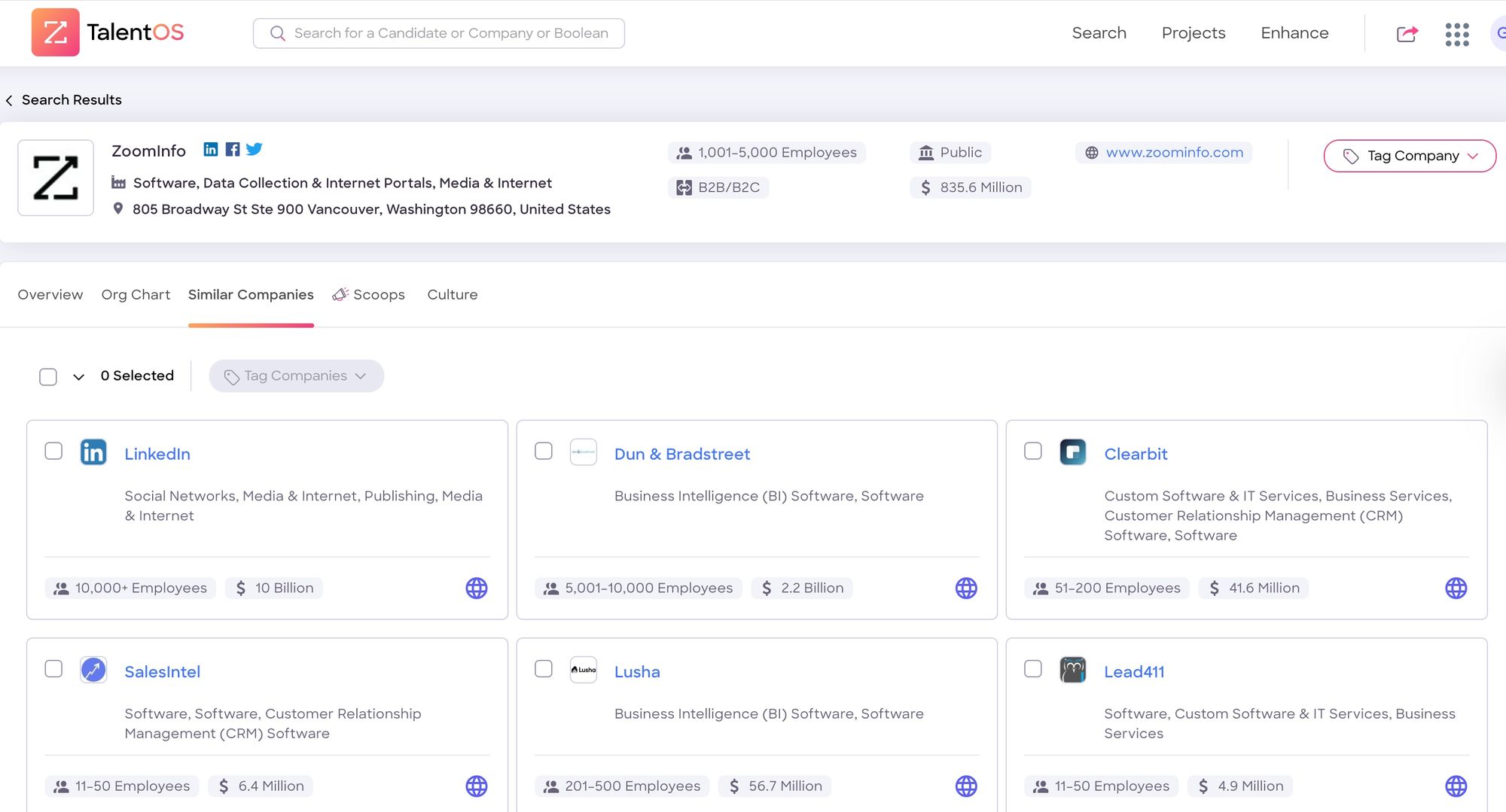
Are you still googling prospects and manually copying LinkedIn data into your CRM? Then you’re wasting a ton of time on administrative work that could go towards closing deals. Worse, that manual data entry means you’re probably missing out on a lot of important context that could smooth out your sales process. Contact enrichment tools automatically scrape data from multiple platforms to keep contacts up to date and full of information you can use in your sales calls.
What to look for in a contact enrichment tool:
- Automatic firmographic data (company size, funding)
- Contact information
- Relationship intelligence
- Fresh data as companies evolve
Popular options for contact enrichment:
- Zoominfo, the enterprise contact enrichment tool of choice.
- Apollo.io, often used as an affordable middle ground.
Many modern CRMs, like Clarify, also have built-in contact enrichment features that eliminate the need for a separate subscription.
Automatic scheduling (eliminate back-and-forths)
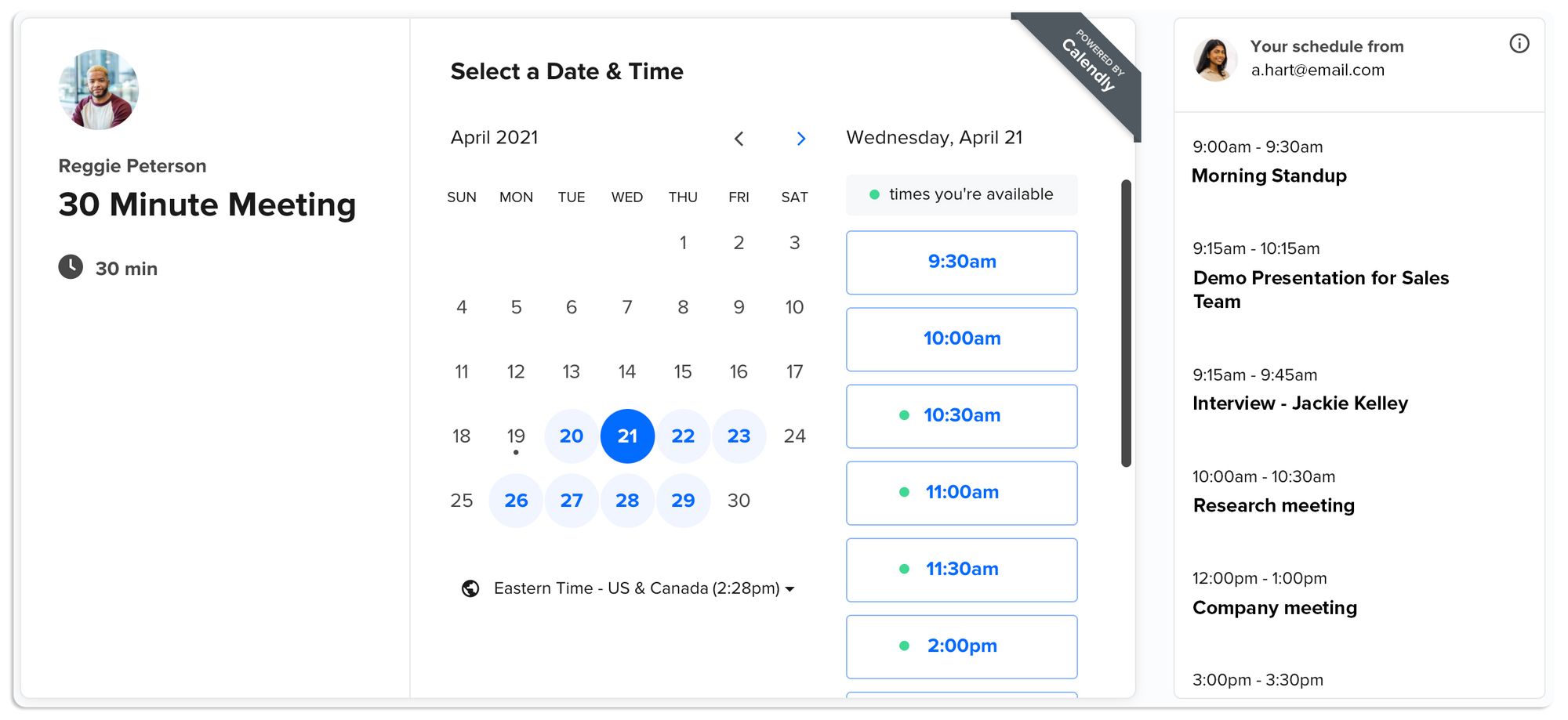
How many opportunities have you completely missed out on due to lengthy email chains? A prospect asks you for availability, you give them a list, and then there’s a long back-and-forth to try and pick a date. And then someone gets a time zone wrong and you never actually get to connect. Even if you don’t miss out on that chance, you’ve scheduled one call after five emails. That’s not a valuable use of time. Automatic scheduling tools turn that email chain into a single email. You share a link, a prospect picks a time slot, and you’re done.
What to look for in an automatic scheduling tool:
- Real-time calendar availability.
- Customizable meeting types.
- Timezone intelligence.
- Automated reminders.
Popular options for automatic scheduling:
- Calendly, the dominant option.
- SavvyCal, which offers more sophisticated features.
- Cal.com, an open-source alternative.
Meeting intelligence (turn conversations into context)
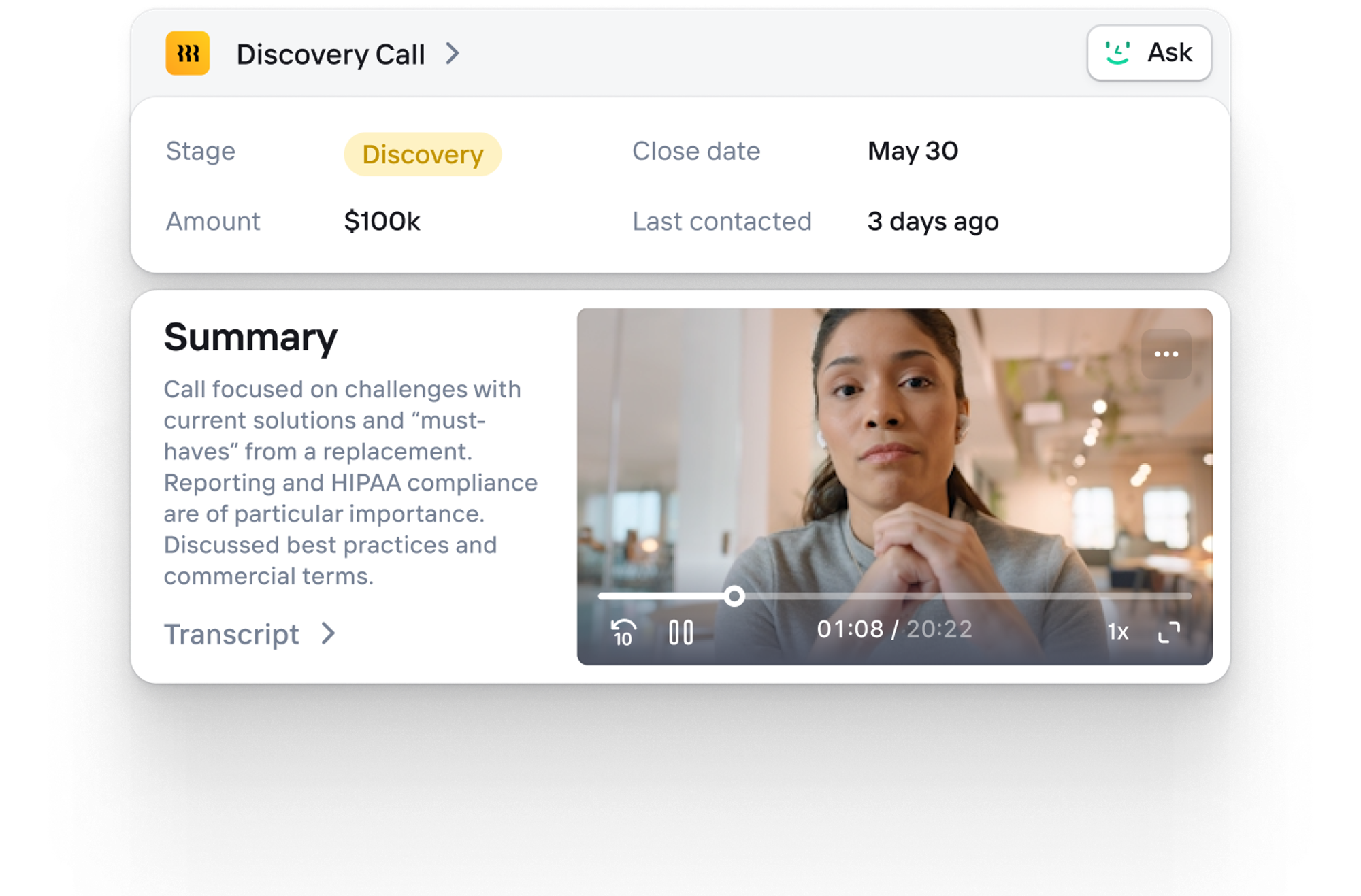
Meeting recordings have practically become a default in every organization. Otherwise, it’s hard to focus on the actual context of a call when you’re worried about capturing every detail. But meeting recordings only take you so far. A meeting intelligence tool doesn’t just record meetings. It transcribes and analyzes calls, turning lengthy transcripts into actionable insights. The best tools surface insights, not just data. Knowing your prospect mentioned competitors three times and asked about pricing twice? That's actionable
What to look for in a meeting intelligence tool:
- Automatic recording across platforms
- AI-generated summaries
- Action item extraction
- Searchable conversation history
- CRM integration that auto-logs notes.
Popular options for meeting intelligence tools:
- Fireflies.ai offers robust features at accessible pricing.
- Gong provides sophisticated analytics at enterprise pricing.
- Fathom delivers clean summaries with minimal setup.
- Grain has strong CRM integrations.
- MeetGeek also offers deep CRM integration.
Clarify also integrates meeting recording directly into a CRM. When a call ends, notes, action items, and insights automatically sync to the deal record. No switching tools, no manual data entry.
Email sequencing (systematic follow-ups)
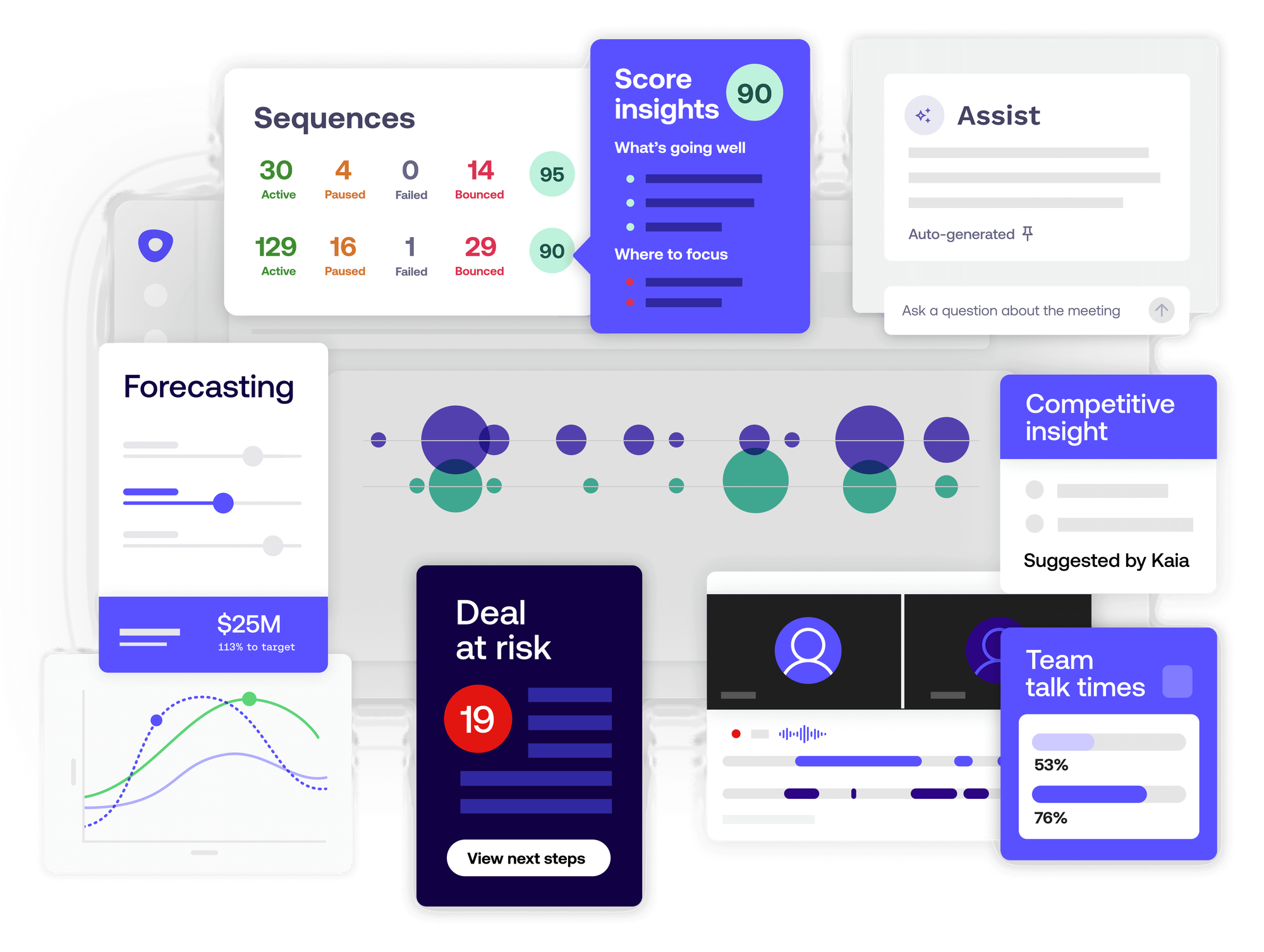
Deals are rarely won or lost in a single call. It’s the follow-up work that really seals the deal. But not only do founders often delay tasks like email outreach in favor of the thousand other tasks on their plate. With email sequencing tools, they don’t have to choose. Follow-ups are automated, so no deal falls through the cracks. And as you scale, you can build more complex outreach sequences to capture more leads. Use sequences thoughtfully. Every message should provide value. And critically, pull contacts out of automation the moment they engage.
What to look for in an email sequencing tool:
- Template libraries with personalization.
- Multi-step campaigns.
- A/B testing.
- Reply tracking that stops sequences when prospects respond.
- CRM integration.
Popular options for email sequencing tools:
- Outreach.io is the enterprise standard with an accompanying price tag.
- SalesLoft is another popular enterprise option.
- Lemlist has strong features with more accessible pricing.
- Mailshake also offers a balance between features and pricing.
Clarify is also building a tool like this inside the CRM.
Analytics and reporting (understand what’s working)
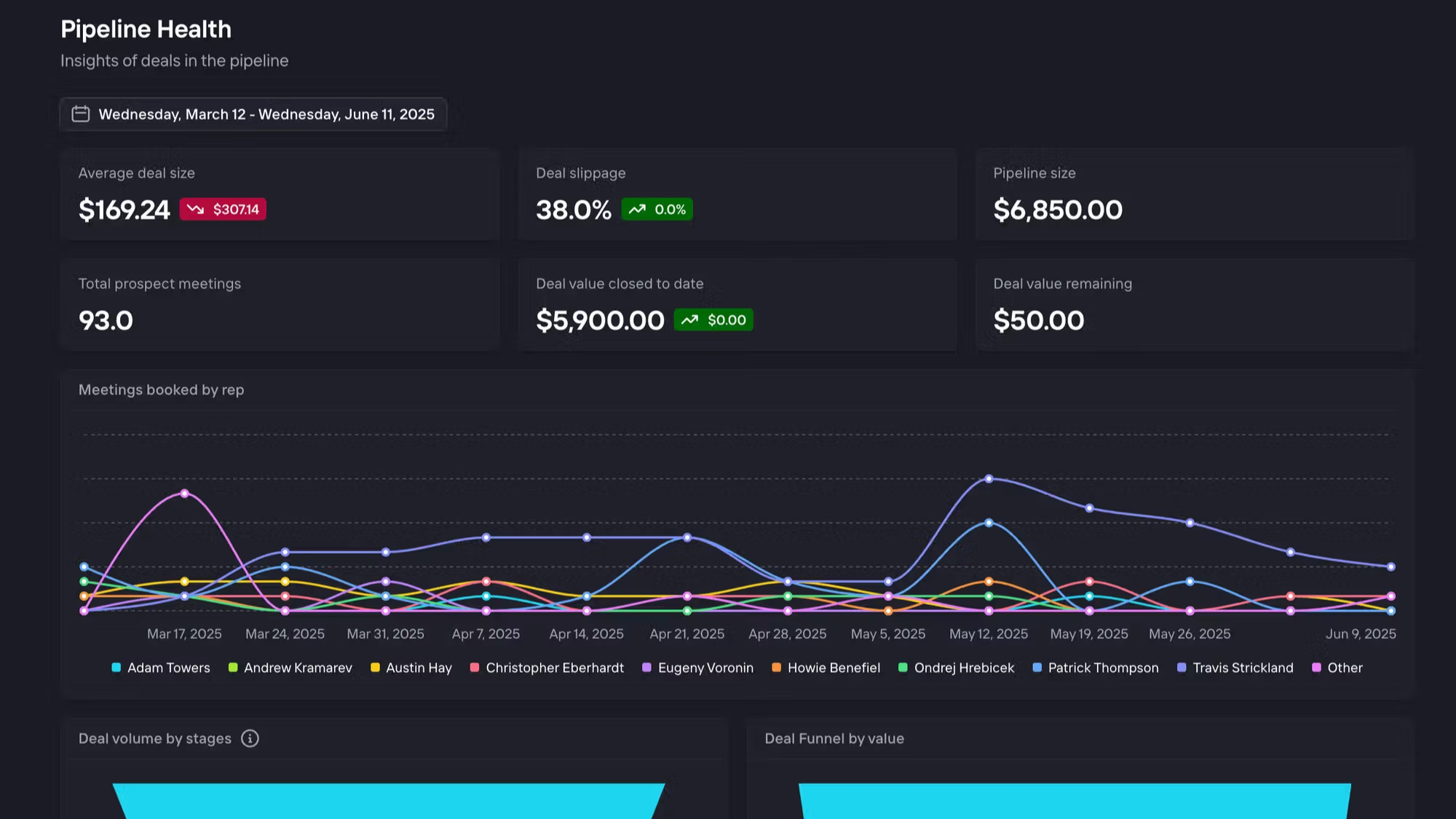
How many calls did you do last week? What's your meeting-to-demo conversion rate? If you can't answer these questions, you're missing out on opportunities to optimize your sales process. Most CRMs include basic reporting. The question is whether they surface metrics that actually matter. Generic "deals by stage" dashboards aren't helpful when you need to understand why prospects stall. Look for tools that provide actionable insights, not just visualization. AI-powered platforms identify patterns you'd miss—like prospects who engage with specific content being 3x more likely to close.
What to look for in analytics and reporting in your CRM:
- Pipeline velocity
- Conversion rates at each stage
- Source of your best leads
- Win/loss patterns
- Activity metrics.
Why you need these 6 tools
The magic isn't in any single tool—it's in how they connect.
A prospect books time through Calendly. The meeting appears in your CRM with enriched company data. Your meeting intelligence tool records and transcribes the call. Key points automatically sync to the CRM. The system suggests next actions. If you don't follow up within three days, you get a reminder. Email sequences handle nurturing. Analytics track whether this path leads to closed deals.
No manual data entry. No switching between six tabs. No wondering what to do next.
How to budget for your tool stack
Minimal Stack (solo founder, $100-200/month): CRM (Clarify Free or HubSpot Free), enrichment (built-in or Apollo.io basic), Calendly Basic ($10), Fireflies.ai Free ($19), native Gmail, CRM analytics.
Growth Stack (founder + 1-2 hires, $300-600/month): CRM (Clarify Starter $20-40 or Pipedrive $29/user), Apollo.io, Calendly Pro ($12/user), Grain ($19/user), Lemlist ($59), CRM-native analytics.
Mature Stack (5+ person team, $1,000-3,000/month): CRM (Clarify Growth or Salesforce $100+/user), ZoomInfo, Chili Piper ($15+/user), Gong ($1,200+/user/year), Outreach ($100+/user), dedicated BI tools.
Start minimal. Scale based on actual needs, not anticipated ones.
Building your tech stack in 30 days
Week 1: Pick your CRM. Test Clarify's free tier, HubSpot, and Pipedrive with real data. Choose the most intuitive and move on.
Week 2: Add scheduling and enrichment. Set up Calendly everywhere. Configure CRM enrichment or add Apollo.ai.
Week 3: Layer in meeting intelligence. Install Fireflies.ai or Fathom. Do five recorded calls and review the transcripts.
Week 4: Implement basic sequencing. Create three email templates. Set up simple sequences. Track response rates.
Four weeks, six tools (or fewer with an integrated platform), and you have a functional founder-led sales tech stack.
Don't overthink it. Get the basics working, then iterate based on what you actually need.
Get the all-in-one tool stack: Try Clarify
Most of this guide assumes you're stitching together point solutions. That's the traditional approach—but it requires constant maintenance and creates integration headaches.
Clarify offers a different path: an autonomous CRM that consolidates multiple categories into a single platform. Instead of separate tools for CRM, enrichment, meeting intelligence, and analytics, you get integrated capabilities designed to work together seamlessly.
This isn't just convenience—it's about fundamental capabilities. When your CRM natively records calls, enriches contacts, and suggests next actions, insights improve dramatically. No data lost in translation. No wondering if meeting notes synced to the deal record.
With credit-based pricing instead of per-seat fees, Clarify's economics make sense for founder-led sales. You pay for usage, not seats that might log in occasionally.
Ready to start? Try Clarify for free.
Frequently asked questions: Founder-led sales tech stack
How much will I spend on a founder-led sales tech stack?
In founder-led sales, your tech stack should include the following tools:
- A CRM
- Contact enrichment
- Scheduling
- Meeting intelligence
- Email sequencing
- Analytics and reporting
A solo founder can get solid coverage across all six categories for $100 to $200 a month. As your team starts to grow, that spend will usually increase to $300 to $600 a month.
Can I start with free tools and upgrade later?
Absolutely. Most founders begin with free tiers from Clarify, HubSpot, Fireflies.ai, and Calendly. This approach lets you learn what you actually need before committing budget. Just ensure free tools have clear upgrade paths and won't require painful migrations later.
What’s the most important tool in a founder-led sales tech stack?
Your CRM. It's the foundation everything else builds on. If this doesn't work or you're constantly fighting it, nothing else matters. Invest time in choosing the right CRM, even if you rush other decisions.
How should I integrate the tools in my stack?
For most founders, an integration platform like Zapier is a cost-effective way to push data between the tools you use every day. Building and maintaining custom integrations is typically too costly for founder-led sales, since you’ll need either internal development resources or expensive consultants.
How do I know when it's time to upgrade from my current stack?
Any of these signals means it's time to evaluate better tools:
- You're spending more than an hour per week on manual data entry.
- Leads are falling through the cracks despite your best efforts.
- You can't answer basic questions about your pipeline.
- Hiring involves training sellers based on information that lives exclusively in your founder’s head.
What if my team resists using new tools?
Start with your founder using everything consistently. When early hires see you relying on these tools for every deal, adoption becomes natural. Avoid the mistake of buying tools and hoping people use them—lead by example first.
Can I use different tools than the ones recommended here?
Of course. This guide provides categories and principles, not prescriptions. The specific tools matter less than ensuring you cover all six categories with solutions that integrate well. Trust your instincts about what feels right for your workflow.
Keep Reading
Sales tools for small businesses: choosing a tool that helps you scale
The 5 best CRMs for founder-led sales in 2025
Affinity vs Clarify: A complete comparison for 2026
How to keep your founder-led sales process organized
Build your own CRM: A founder’s guide to choosing the right approach
The 7 best meeting recorders for founders (and why you might not need one)